
PlayMetrics
PlayMetricsSports
3.4138.00 Reviews
- Version
- 3.6.4
- Installs
- 100.00K
- Age Rating
- Everyone
Screenshots
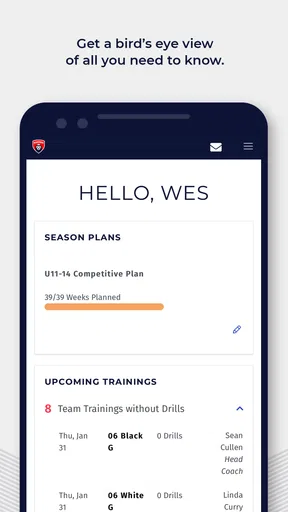
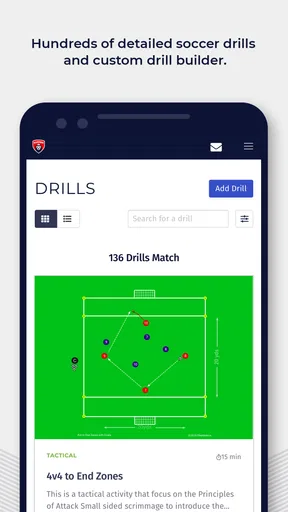
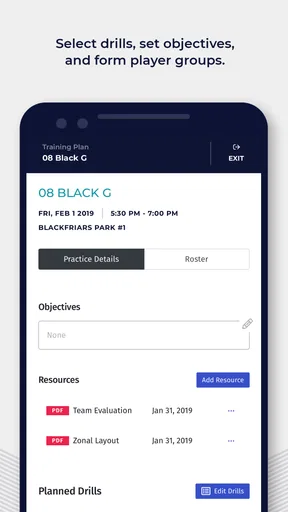
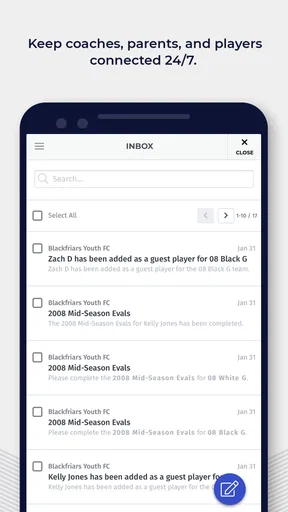
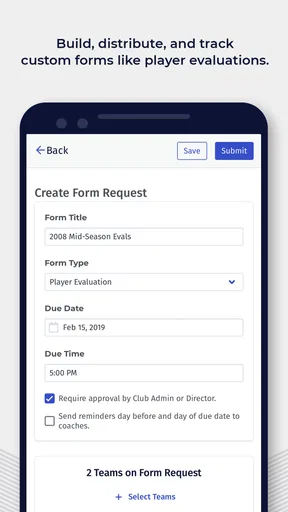
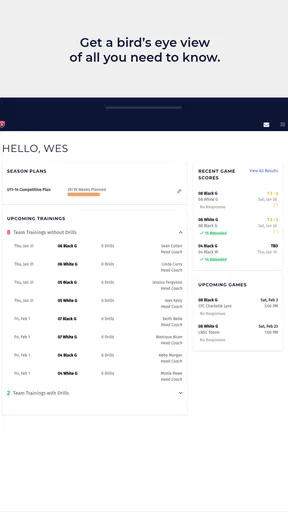
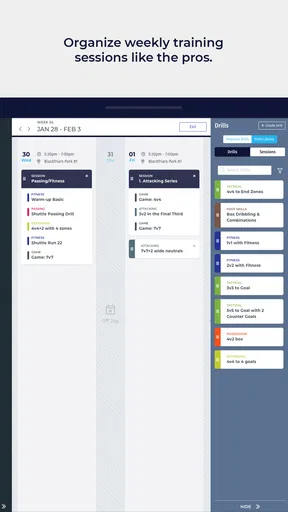
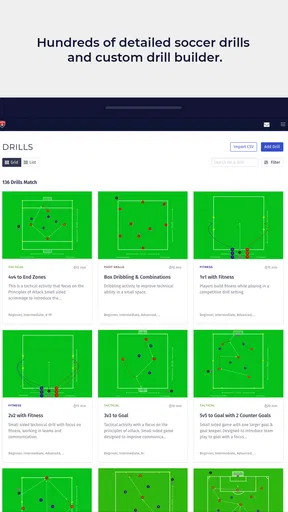
Our Review of PlayMetrics
 Analysis by Appyee
Managing a youth sports club often means juggling schedules, player information, parents, coaches, and last-minute changes at the same time. I found that PlayMetrics is aimed at bringing that work into one sports-focused app instead of leaving every conversation and update scattered across messages, spreadsheets, and paper notes. It is a free app from PlayMetrics, rated for Everyone, and its purpose is much clearer when viewed as a club-management tool rather than as something designed for athletes looking for training advice.
My first impression is that its value depends heavily on how organized the club already is. When everyone follows the same routine, a management app can reduce repeated questions and make weekly coordination easier. When information is entered inconsistently or only some families use the app, the benefit drops quickly. That makes PlayMetrics a practical option for youth teams and clubs that want a shared digital routine, but not necessarily the best answer for every sports organization.
How I would use PlayMetrics during a normal club week
The most sensible starting point is to treat PlayMetrics as the club’s central reference point. Rather than checking several chat threads to remember when a team meets, I would use the app to follow the club’s organized information and return to it whenever a detail changes. This is especially useful for parents who are coordinating school, transport, and more than one child’s activities.
A realistic example is a busy weekday afternoon. A coach needs to communicate a team update, a parent wants to check the latest arrangement, and a club administrator needs the same information to remain visible to the right people. Without a shared system, each person may receive a slightly different version. With a consistent PlayMetrics workflow, the club can reduce that confusion by making the app the place people check first.
The important habit is not simply installing the app. I would first decide what belongs in PlayMetrics and what should remain elsewhere. Club-wide information, team coordination, and routine updates make sense in a dedicated management app. Personal conversations, urgent emergencies, and unrelated family matters should not be forced into the same workflow. That boundary keeps the app useful instead of turning it into another noisy inbox.
For coaches, the main advantage is continuity. A coach who updates information in one place can avoid rewriting the same message for several groups. For administrators, the benefit is a more repeatable process for keeping teams and families aligned. For parents, the app is most helpful when they know exactly when to open it: before the week begins, before leaving for an activity, and whenever a club notification or update arrives.
I would also recommend agreeing on a simple club rule: important information should be posted through the official channel rather than buried in informal conversations. This is not a special feature claim; it is a usage habit that makes any management app more effective. PlayMetrics becomes much more valuable when the organization treats it as a dependable source instead of an optional duplicate.
Who benefits most from this approach
PlayMetrics is a good fit for youth sports clubs with several teams, rotating coaches, and parents who need dependable access to club information. It can also suit volunteers who want to replace a patchwork of documents and group messages with a more focused sports-management routine.
I see less value for a very small team that rarely changes its plans and already communicates smoothly through a single familiar method. In that situation, moving everyone to another app may create more work than it removes. The same applies to players or families who only want workout ideas, live scores, or individual performance tracking. This is not the kind of sports app I would choose for those needs.
Settings and setup choices worth checking first
Although the app’s basic purpose is straightforward, the setup determines whether it feels calm or cluttered. I would begin by checking which team or club information is visible to me and whether my account is connected to the correct group. In a youth sports environment, a small setup mistake can lead to missed updates or unnecessary messages, so verifying the basics early is worth the effort.
Notifications deserve particular attention. If every update produces an interruption, parents may start dismissing alerts without reading them. If notifications are too limited, important changes may be missed. My preference would be to keep alerts active for information that affects attendance, timing, or immediate planning, while avoiding the habit of opening the app repeatedly just to look for changes.
The best notification setting is therefore not the loudest one. It is the one that matches the club’s communication rhythm. A team that posts frequently needs a more selective approach, while a team that uses the app only for occasional updates can probably leave more alerts enabled. I would review this after the first week rather than deciding once and forgetting it.
I would also check the device’s general notification permissions and battery behavior if updates seem unreliable. That is a practical troubleshooting step, not a promise that every phone will behave identically. Android settings can limit background activity or silence alerts, and an app can appear inconsistent when the real problem is the phone’s notification configuration.
Another useful setup habit is separating club responsibilities. If I were a parent, I would make sure I know which account or profile represents my child and which information applies to the relevant team. If I were a coach or administrator, I would take extra care before publishing anything, because a management app is only as accurate as the information entered into it.
Small routines that make the app faster to use
Experienced users usually do not save time by tapping faster. They save time by repeating the same sequence. With PlayMetrics, I would create a weekly check-in habit: open the app at the beginning of the week, review the next relevant club information, and then check again before leaving for training or a match. This reduces the temptation to search through old messages at the last minute.
For parents with multiple children, I would review each child’s team separately and finish one check before moving to the next. Mixing details from different teams is an easy way to remember the wrong time or location. A short, deliberate routine is safer than quickly scanning everything together.
Coaches can use a similar pattern before publishing an update. I would prepare the message, verify the intended team, check the timing, and only then send or post it. That extra pause is valuable in youth sports, where a small error can affect transport plans for many families. The app cannot replace careful communication, but it can give that communication a more consistent home.
Administrators may benefit from a “single source” rule. If a schedule or instruction changes, update the official club channel first and avoid leaving an outdated version in circulation. When clubs announce changes in several places, families may follow whichever message they happen to see first. PlayMetrics works best when the club’s habits prevent that split.
One less obvious trade-off is that centralization creates responsibility. A shared app makes information easier to find, but it also makes outdated information more visible. I would rather see a short, current update than a large collection of old material that nobody knows how to interpret. Keeping the information clean is part of using the app well.
Where PlayMetrics is stronger than familiar alternatives
The usual alternative for a small team is a group chat. Chats are quick and familiar, but important details can disappear beneath casual replies, photos, and unrelated conversation. PlayMetrics has a more focused role as a youth sports club-management app, so it is better suited to organizations that need information to remain connected to the team or club rather than to a single conversation thread.
A spreadsheet can be flexible, especially for administrators who like building their own systems. However, spreadsheets depend on careful formatting, sharing permissions, and manual maintenance. They may work well for records, but they are less natural for everyday family communication. PlayMetrics is more approachable when the goal is to give coaches, parents, and club staff a shared sports-specific routine.
Email has the advantage of being familiar and searchable, but it often creates long chains and duplicated replies. A dedicated app can make the club’s communication feel more immediate and less dependent on finding the right message in an overflowing inbox. That said, email may still be better for formal documents or longer explanations, so I would not try to replace every communication method with PlayMetrics.
The comparison is not simply about which tool has more functions. It is about whether the club needs a repeatable environment. A group chat may be enough for one stable team. PlayMetrics becomes more compelling when several people need to follow organized club information and when the club wants a consistent process that does not depend on one volunteer’s personal phone.
Limits I would consider before moving a whole club
The average rating is 3.3 from around 281 ratings, while the app has received around 126 written reviews. I would read that as a reason to approach it realistically rather than expecting a flawless experience for every club. The app may be useful, but the quality of the overall experience will also depend on how well the club configures and uses it.
Its reach is established enough to have more than 100,000 installs, but popularity alone does not answer whether it fits a particular organization. A club should consider its own communication habits, the technical confidence of its families, and the willingness of coaches to maintain accurate information. If those factors are weak, even a suitable app can become another source of confusion.
I would also avoid choosing PlayMetrics solely because it is free. Free removes a financial barrier, which is helpful for volunteer-run clubs and families, but it does not remove the time needed for setup, training, and ongoing maintenance. The real cost is often attention: someone must make sure the right information is posted and that users know where to find it.
Another limitation is that a club may still need other tools. A sports-management app does not automatically replace every document, payment process, emergency contact method, or formal record system. I would use it as the coordination layer that families and coaches can understand, while keeping specialized tasks in appropriate systems when necessary.
Older devices should also be considered. PlayMetrics requires Android 7.0 or later, so families using very old phones may need to check compatibility before the club depends on it. The current version is 3.6.4, and keeping the app updated is sensible for stability and access to the latest available improvements. A club-wide rollout should include a simple alternative communication plan for anyone who cannot use the app reliably.
Who should choose another option
I would skip PlayMetrics if I only wanted personal fitness tracking, sports news, match results, or coaching videos. Its value is organizational, not individual-performance focused. I would also hesitate if my team already has a well-maintained system that every family uses consistently and nobody is struggling to find information.
A club with highly complex administrative requirements may need a broader platform with dedicated finance, registration, reporting, or document-management tools. PlayMetrics may still help with communication, but I would not assume that one app should handle every operational need. The right choice depends on whether the club’s main problem is coordination or deeper administration.
I would be cautious, too, if the club is unwilling to establish clear communication rules. No app can solve the problem of coaches posting in one place, administrators posting in another, and parents relying on rumors. In that environment, adding PlayMetrics could increase the number of places people check instead of reducing it.
My verdict after building a repeatable workflow
After looking at PlayMetrics as a daily club tool rather than a quick download, I see a useful option for youth sports organizations that need more structure than a chat group can provide. Its strongest quality is focus: it is built around helping clubs coordinate people and information, which gives it a clearer purpose than general messaging tools.
I would recommend it to a club that is ready to establish one official routine, adjust notifications thoughtfully, and keep its information current. The app is free, suitable for Everyone, and available for Android devices running version 7.0 or later, making it accessible to many families. Those practical details help, but they are not the main reason to choose it.
The main reason is consistency. When parents know where to look, coaches follow a publishing habit, and administrators keep the shared information accurate, PlayMetrics can reduce everyday friction. When those habits are missing, the app may feel like an extra obligation rather than a solution.
My honest recommendation is to test it with one team before asking an entire club to change its routine. Use the trial period to observe whether families find updates more easily, whether coaches can maintain the workflow, and whether notifications remain manageable. If the answer is yes, expanding the process makes sense. If not, a simpler group chat or a more comprehensive club platform may be the better fit.
In short, PlayMetrics is most effective when the club treats organization as a shared habit. I would choose it for structured youth sports coordination, not for personal training or general sports entertainment. Used with clear rules and realistic expectations, it can become a useful home for club communication; used without those foundations, it cannot compensate for inconsistent management.
Privacy and Permissions
See what permissions an app requests and how it handles your data.
- Photos/Media/Files
- read the contents of your USB storage, modify or delete the contents of your USB storage
- Storage
- read the contents of your USB storage, modify or delete the contents of your USB storage
- Wi-Fi connection information
- view Wi-Fi connections
- Other
- view network connections, full network access, run at startup, control vibration, prevent device from sleeping, read Google service configuration
Verdict
Strengths of PlayMetrics
- Clear performance insights help identify strengths and weaknesses quickly.
- Useful progress tracking makes long-term improvement easier to measure.
- Clean interface keeps important metrics easy to find and understand.
- Customizable views let users focus on the statistics that matter most.
- Helpful comparisons can provide extra motivation and context.
Limitations of PlayMetrics
- Some advanced metrics may require a paid subscription.
- Data accuracy depends on consistent and correct user input.
- The app may feel overwhelming for beginners unfamiliar with analytics.
- Limited offline functionality can be inconvenient without an internet connection.
- Frequent tracking may become repetitive for casual users.
Similar Picks in This Category
View All
BeSoccer: Soccer Live Score
BeSoccer apps4.3

Cricbuzz - Live Cricket Scores
Cricbuzz.com3.7

NFL
NFL Enterprises LLC2.4

Da Fit
MO YOUNG LIMITED3.6

ESPN
Disney4.5

LiveScore: Live Sports Scores
LiveScore Limited4.5
Frequently Asked Questions
What is PlayMetrics and what can I use it for?
PlayMetrics is a sports management platform designed to help clubs, coaches, administrators, players, and families organize youth sports activities in one place. Depending on the club’s setup, you may use it to view schedules, receive announcements, manage registrations, communicate with staff, check attendance, and follow team-related information. The exact tools available can vary according to your organization and assigned role.
Do I need an invitation or club account to use PlayMetrics?
In most cases, PlayMetrics is connected to a participating sports club or organization, so you generally need an account created through that club or an invitation sent to your email address. Simply downloading the app may not provide access to its features. If you cannot sign in, check that you are using the email associated with your registration and contact your club administrator for account activation or corrections.
Which features are available for parents, players, and coaches?
The available features depend on your role and the way your organization uses PlayMetrics. Parents may be able to manage family profiles, review schedules, receive messages, complete forms, and make payments. Players can often view team information and events, while coaches may manage rosters, attendance, communication, and training details. Some functions may be restricted by club permissions.
Is PlayMetrics free to download and use?
The PlayMetrics app may be available to download without an upfront charge, but that does not necessarily mean every service is free. Clubs can use different registration, membership, event, or payment arrangements, and some costs may be handled through the organization rather than the app itself. Before completing a registration or payment, review the displayed fees and ask your club about its pricing policy.
Is my personal information secure in PlayMetrics?
PlayMetrics may handle personal details such as names, contact information, player profiles, schedules, registration records, and payment-related data, depending on how your club uses the platform. You should review the app’s current privacy policy and permissions before creating an account. For additional protection, use a strong password, keep the app updated, and avoid sharing login credentials with other people.
